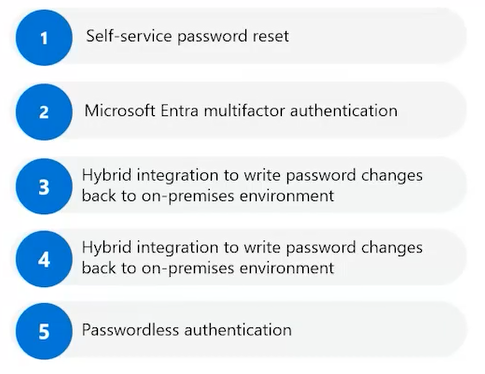
This is a great snapshot of what you’ll need to know around authentication solutions.
Describe Azure authentication methods – Training | Microsoft Learn
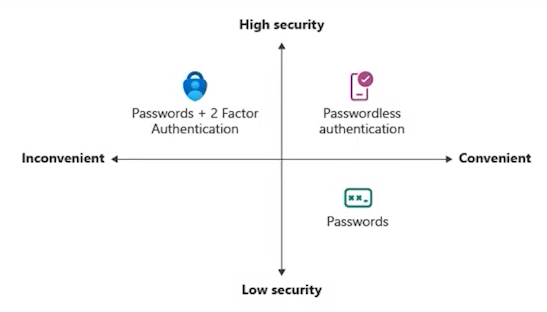
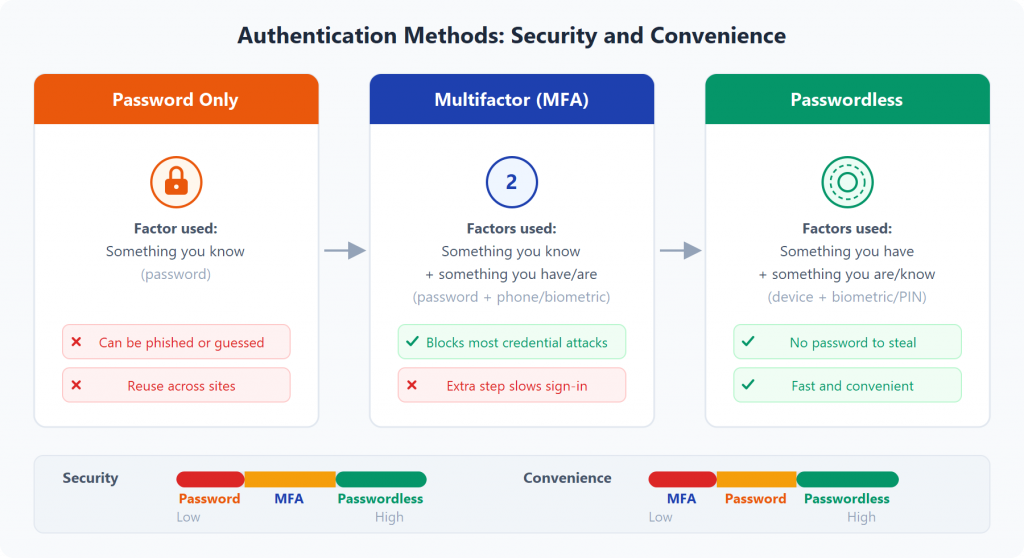
The graph here is key. It shows how different methods balance security and convenience which is something you’ll definitely want to pay attention to for your exam.
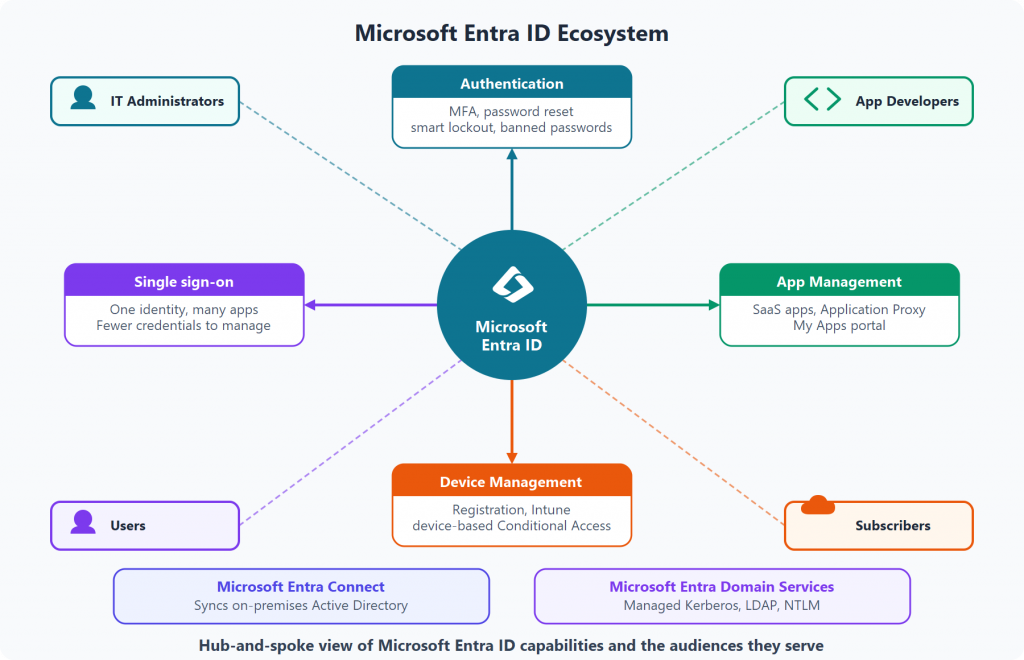
Describe Azure directory services – Training | Microsoft Learn
First get familiar with self service password reset. It’s a big win for reducing help desk calls.
Exercise configure and deploy self-service password reset – Training | Microsoft Learn
Then dive in to MFA or multifactor authentication. And understand how it boasts security.
Secure Microsoft Entra users with multifactor authentication – Training | Microsoft Learn
Exercise – Enable Microsoft Entra multifactor authentication
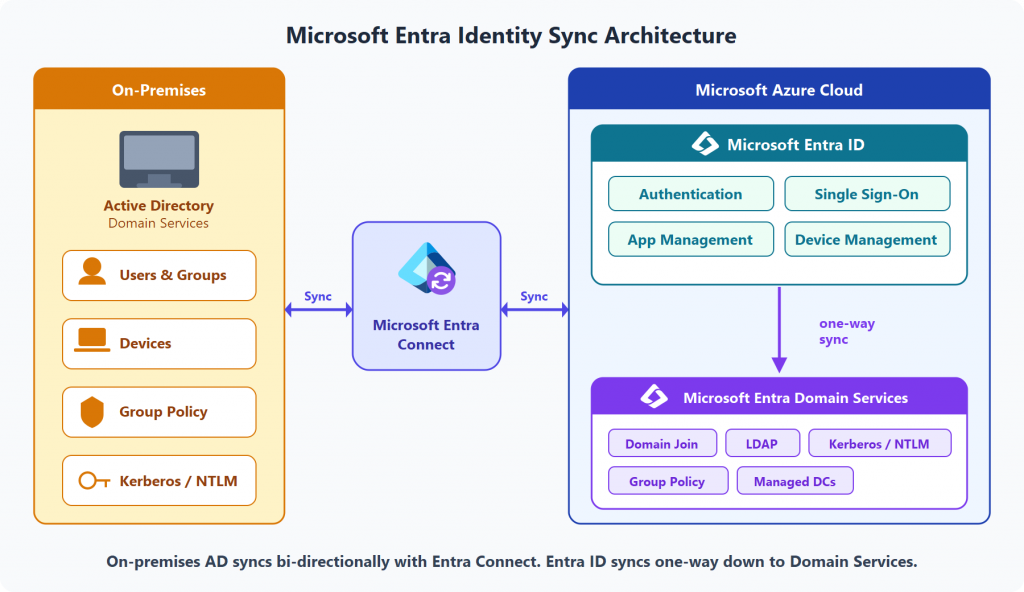
You’ll also want to know how hybrid integration works, especially writing password changes back to your own private environment.
Implement and manage hybrid identity
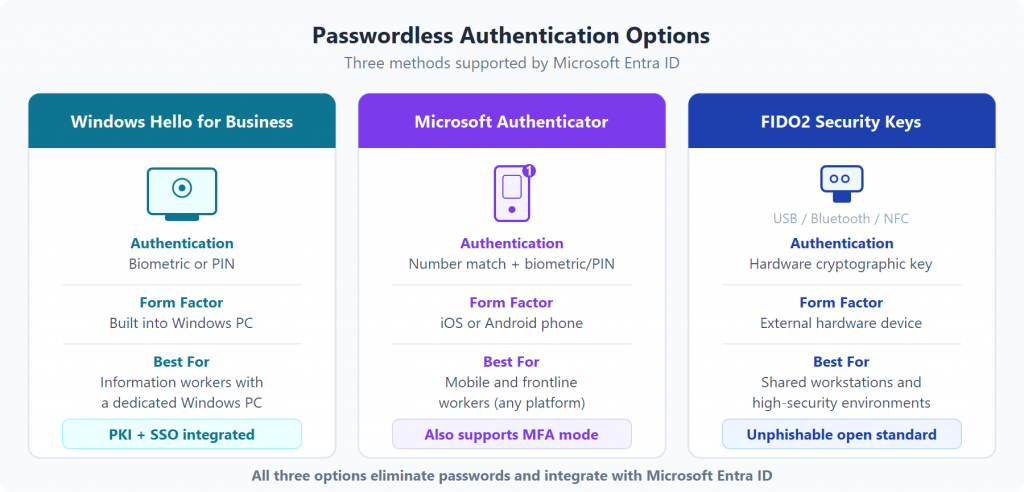
And don’t overlook passwordless authentication. It’s both secure and user friendly and it’s where the industry is heading.
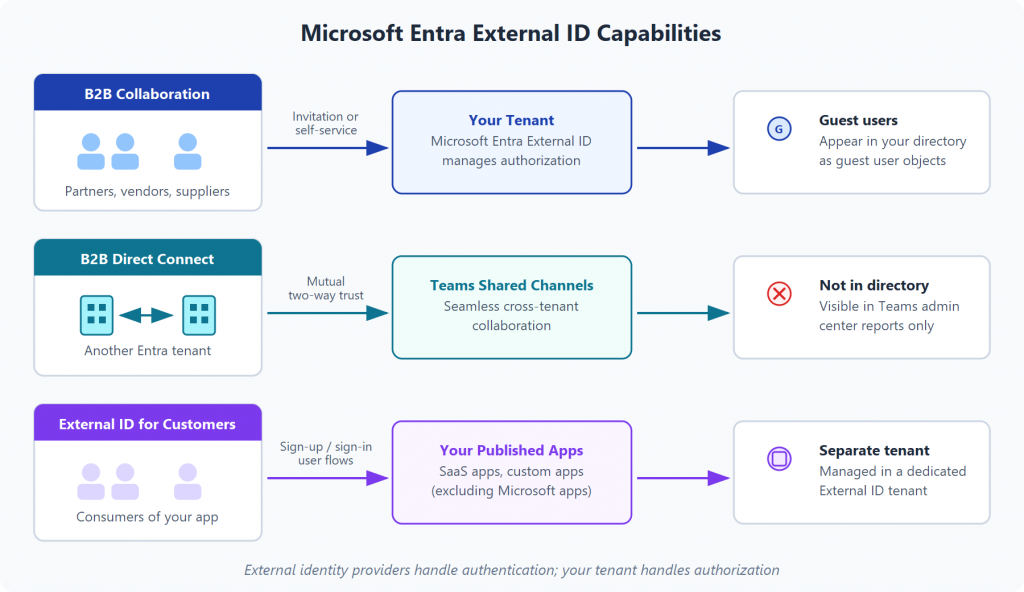
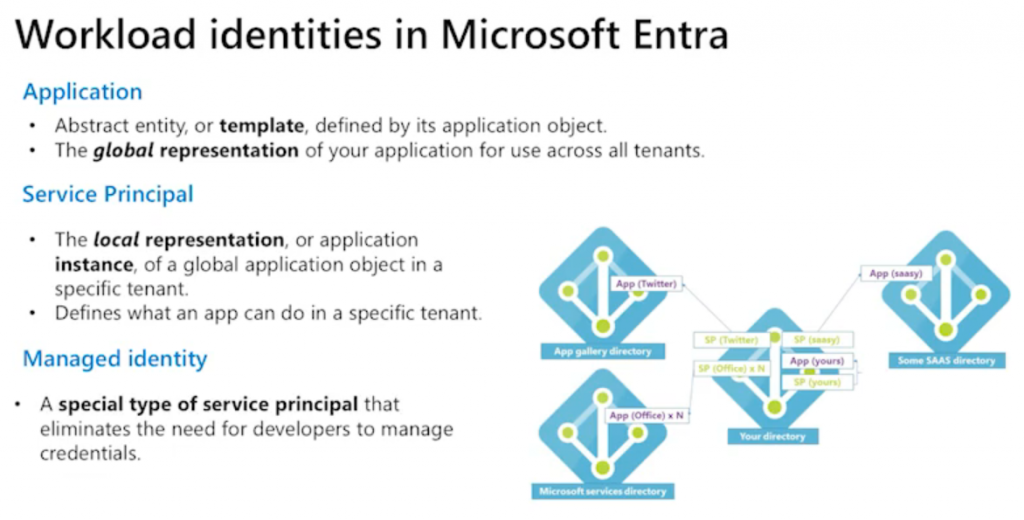
Additional Links:
https://docs.microsoft.com/en-us/azure/active-directory/authentication/concept-sspr-licensing
https://learn.microsoft.com/en-us/azure/app-service/overview-managed-identity?tabs=portal%2Cdotnet
https://learn.microsoft.com/en-us/training/modules/understand-azure-active-directory
https://learn.microsoft.com/en-us/training/modules/manage-users-and-groups-in-aad
https://learn.microsoft.com/en-us/training/modules/allow-users-reset-their-password