Governance involves determining your requirements, planning your initiatives, and setting strategic priorities.
Governance provides mechanisms and processes to maintain control over your applications and resources in Azure.
Azure governance relies on a clear structure to manage resources effectively. You’ll need to understand that.
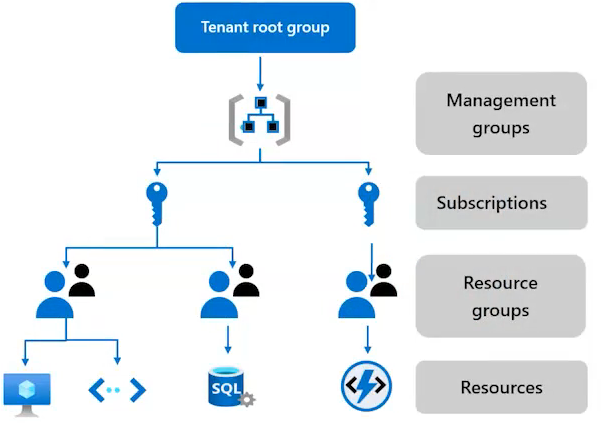
And this image here outlines the four key layers. So understand the structure for those layers.
Management groups -> Subscription -> Resource groups -> Resources
Remember that hierarchy as part of your exam. Know that within each subscription resource groups organize related services such as resources like virtual machines and databases and storage accounts which makes it easier to manage.
At the bottom level you have your resources which are all the key components that you deploy. Virtual machines. Databases. Storage accounts and so forth. Understanding how these layers interact and how to apply policies, manage access, and use tags effectively is essential for designing an environment and preparing for your exam.
Management groups manage access, policy, and compliance for multiple subscriptions.
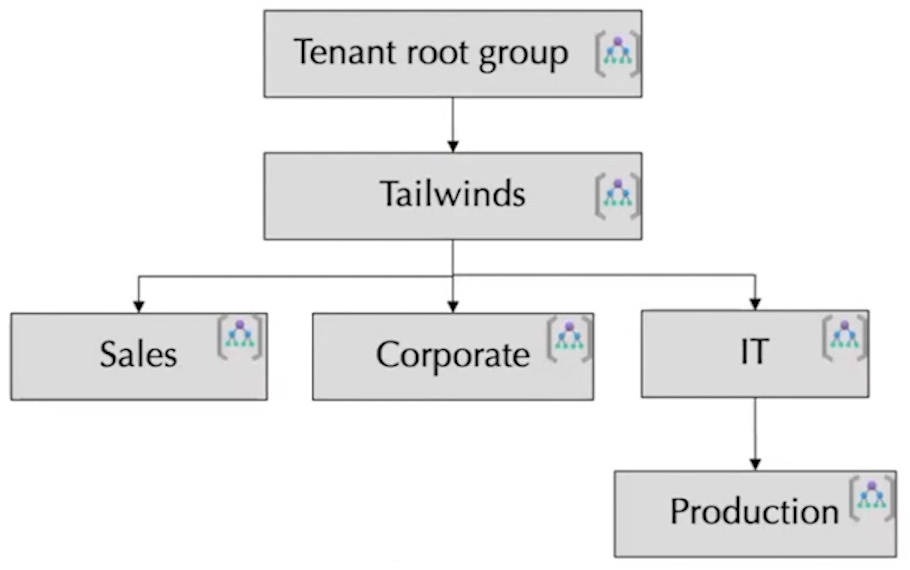
Observations:
· Keep the management group hierarchy reasonably flat
· Consider a top-level management group
· Consider an organizational or departmental structure
· Consider a geographical structure
· Consider a production management group
· Consider a sandbox management group
· Consider isolating sensitive information in a separate management group
Designing for multiple subscriptions
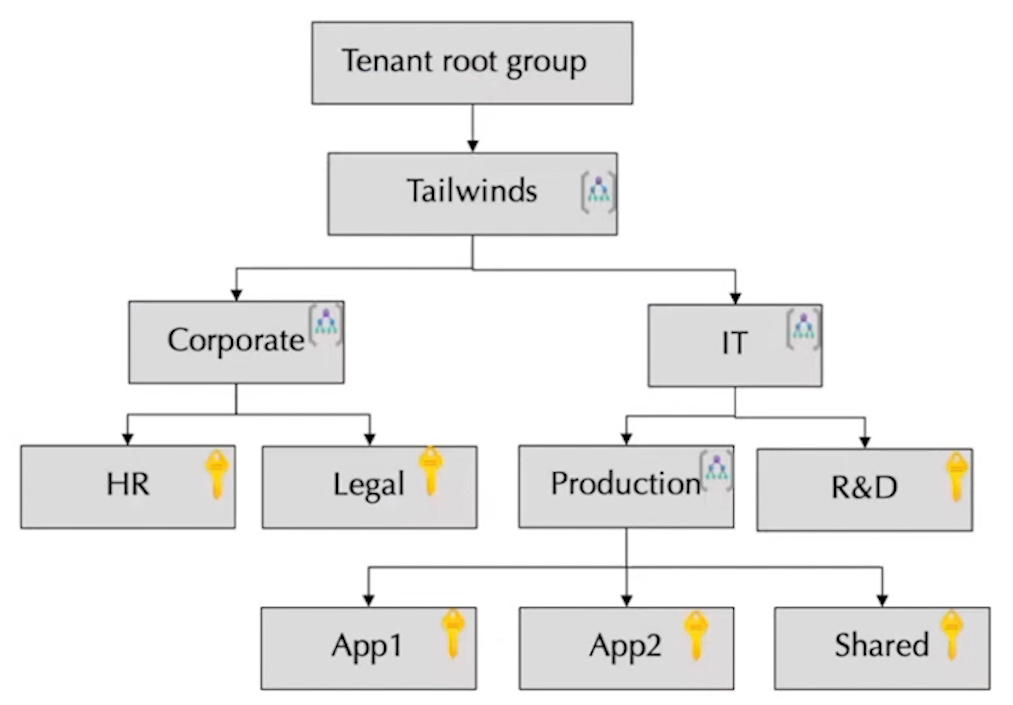
Azure subscription are logical containers for management and billing.
Align your subscriptions with business needs and priorities – consider billing and cost reporting
Consider subscription scale limits – specialized workloads, loT, SAP
Consider administrative management – centralized or decentralized
Consider a dedicated shared services subscription – common services everyone shares
Group subscriptions together under management groups – apply common policies and role assignments.
Make subscription owners aware of their roles and responsibilities
Consideration for when to use subscriptions:
Secure workloads that require additional policies and role-based access control to achieve compliance
Specialized workloads and the need to scale outside the subscription limits
Manage and track costs for your organizational structure
Identify different environments such as development, test, and production that are often isolated from a management perspective
Use Cases:
Organizing Subscriptions
Centralized Governance and Policy Management
Simplified Access Control
Cost Management and Budgeting
Scenario:
An organization with multiple departments can create a management group for each department and then assign subscriptions for each department’s resources to their respective management group.
Resource groups organize related services such as resources like virtual machines and databases and storage accounts which makes it easier to manage.
Understand tagging and understand a strong tagging strategy. This is going to be important also. And keep in mind that they’re especially useful in large environments where visibility and control are crucial.
https://learn.microsoft.com/en-us/training/modules/design-governance/4-design-for-subscriptions