If you’re prepping for the exam, and you see a question about recommending a virtual machine-based solution, here’s what you’ll need to focus on.
First, get really comfortable with the workload resources, things like application gateways, especially how it works with a web application firewall and how front-end and back-end VMs are deployed across zones for high availability.
Then dive into the networking side of it. You’ll want to understand how Azure Key Vault manages secrets, how private endpoints secure traffic, and how everything connects through a virtual network. Don’t forget load balancing.
Know how traffic is distributed and how zone redundancy plays a role.
Finally, brush up on supporting tools like Azure Bastion for secure VM access, Log Analytics for monitoring, and Application Insights for tracking app performance. If you can explain how all of these pieces work together, you’ll be in great shape for this part of the exam.
https://learn.microsoft.com/en-us/azure/bastion/quickstart-host-portal?tabs=default
When to select Virtual Machines
Quickly test and troubleshoot different configurations
Use specialty hardware such as high-performance computing
Extend your on-prem datacenter without purchasing new hardware
Run legacy apps on modern hardware
Access third party software that requires local add-ons or plug-ins
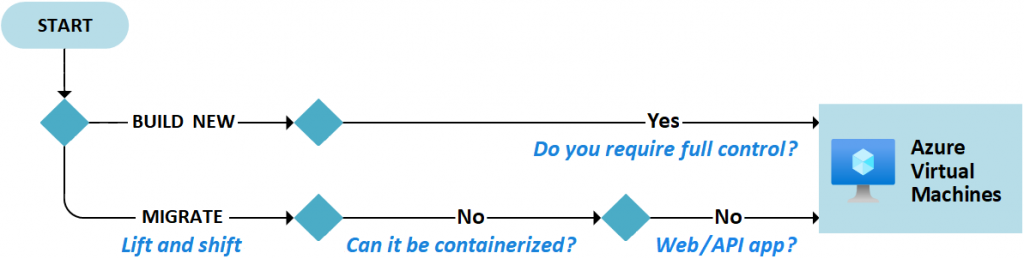
Quickly migrate app to the cloud (lift and shift or rehosting)
Fully control the computing environment
Plan the VM deployment and factors to take into consideration:
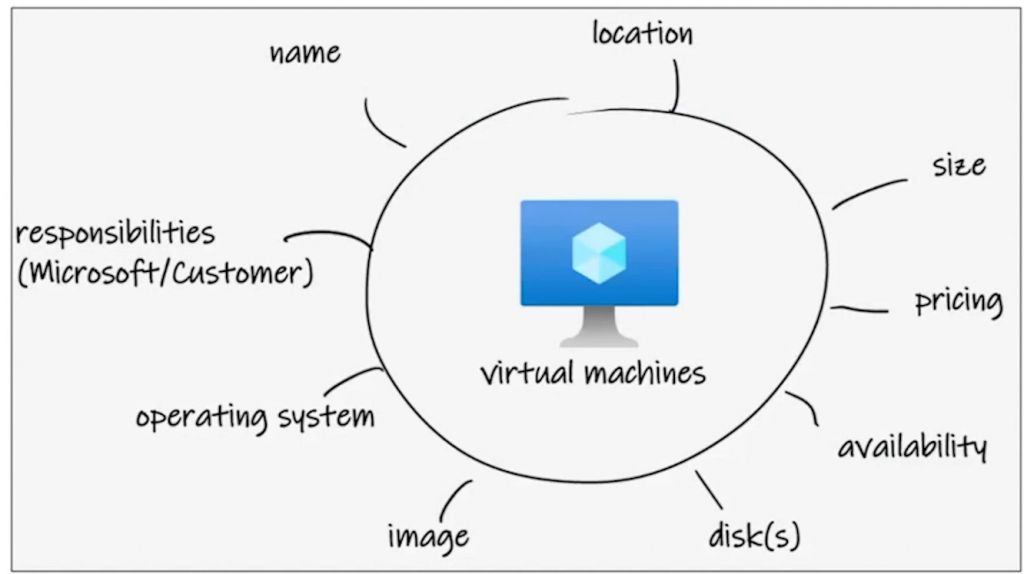
- Start with the network – Network addresses and subnets aren’t trivial to change after they’re configured
- Name the VM – The name defines a manageable Azure resource, and the value isn’t easy to change
- Decide the VM location – The regional location lets you place your virtual machines as close as possible to your users. Also affects available options and pricing
- Determine the size of the VM – See VM families below
- Review the pricing of the VM – Two components: compute and storage. Compute only bills per-minute running, while storage is billed all the time.
- Select the VM Storage – Standard or Premium performance tier
- Select and VM OS – using pre-build images or uploaded images, many Windows and Linux versions; licenses are billed with the image _OR_ you can bring your own license; There are also images for determined workloads available in the Marketplace.
- Keep the VM up to date – You are responsible for patchin the OS
- Monitor the VM – You are responsible to monitor the performance and security of the VM
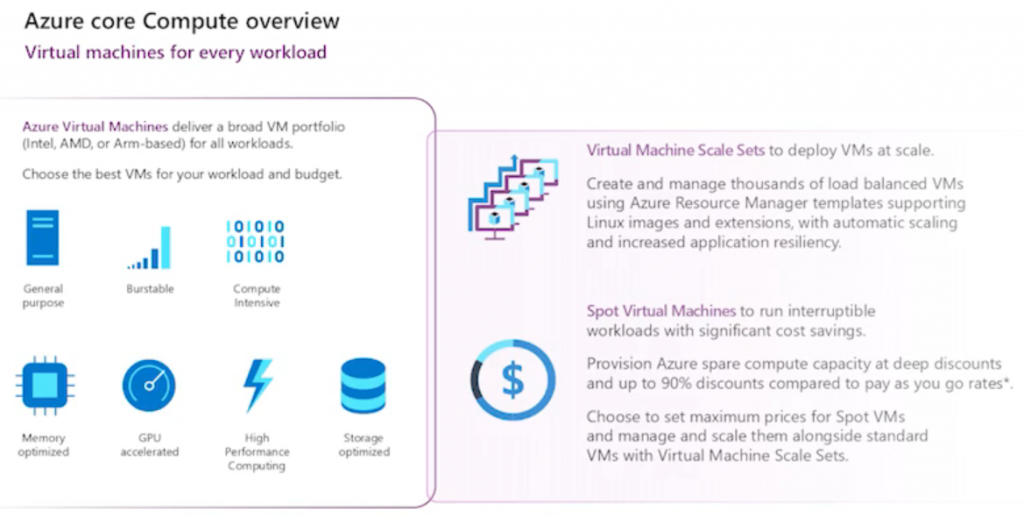
Virtual machines families:
| Classification | Description | Scenarios |
|---|---|---|
| General purpose | General-purpose virtual machines are designed to have a balanced CPU-to-memory ratio. | – Testing and development – Small to medium databases – Low to medium traffic web servers |
| Compute optimized | Compute optimized virtual machines are designed to have a high CPU-to-memory ratio. | – Medium traffic web servers – Network appliances – Batch processes – Application servers |
| Memory optimized | Memory optimized virtual machines are designed to have a high memory-to-CPU ratio. | – Relational database servers – Medium to large caches – In-memory analytics |
| Storage optimized | Storage optimized virtual machines are designed to have high disk throughput and I/O. | – Virtual machines running databases |
| GPU | GPU virtual machines are specialized virtual machines targeted for heavy graphics rendering and video editing. | – Model training and inferencing with deep learning |
| High performance computes | High performance compute offers the fastest and most powerful CPU virtual machines with optional high-throughput network interfaces. | – Workloads that require fast performance – High traffic networks |
Use Cases reflected in VMs:
Development and Testing – Quickly provision a test environment
Application Hosting – Can be used to host apps
Data analysis and processing – Can be used for data-intensive tasks like big data and ML
Disaster recovery – VMs can be deployed in a secondary region to provide disaster recovery capabilities.