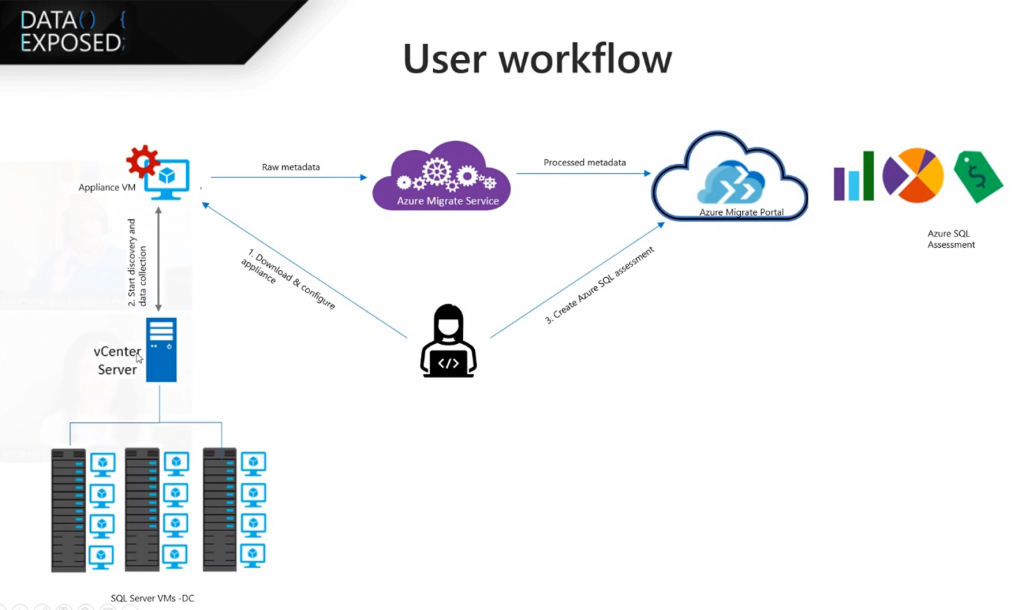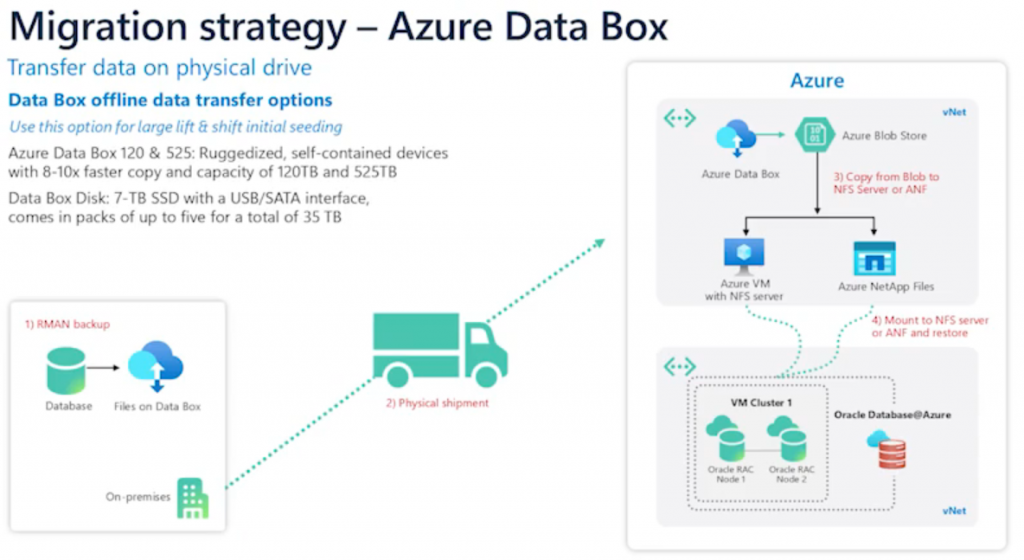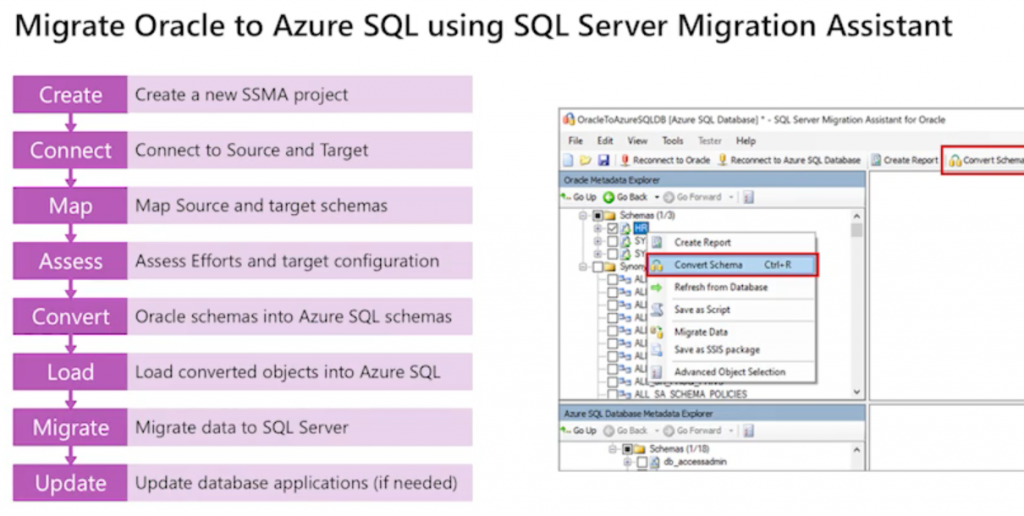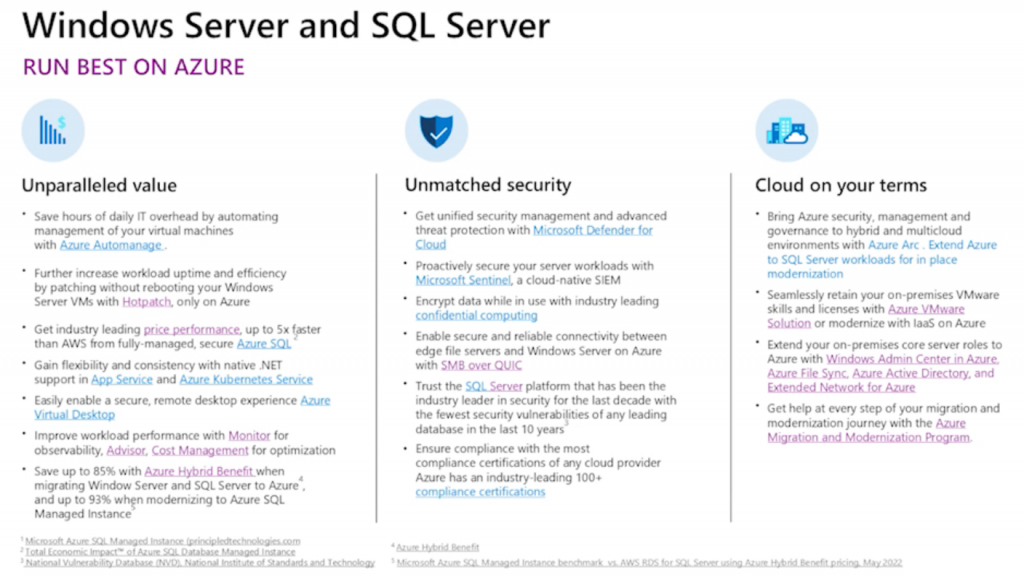
Database migration comes down to choosing between offline and online methods.
It’s important to understand the tradeoffs
Offline migration means the server is shut down at the start, so downtime begins immediately. This approach is straightforward but can be disruptive, especially in a production environment.
So we have the online migration tool. With the online, we keep the source database running while we’re syncing the database continuously to the target. Downtime is limited to just a final cutover, which takes a few seconds, making it a better fit for production environments where minimizing impact is crucial.
It’s important to know that not every source and target database pair supports these methods, so keep that in mind.
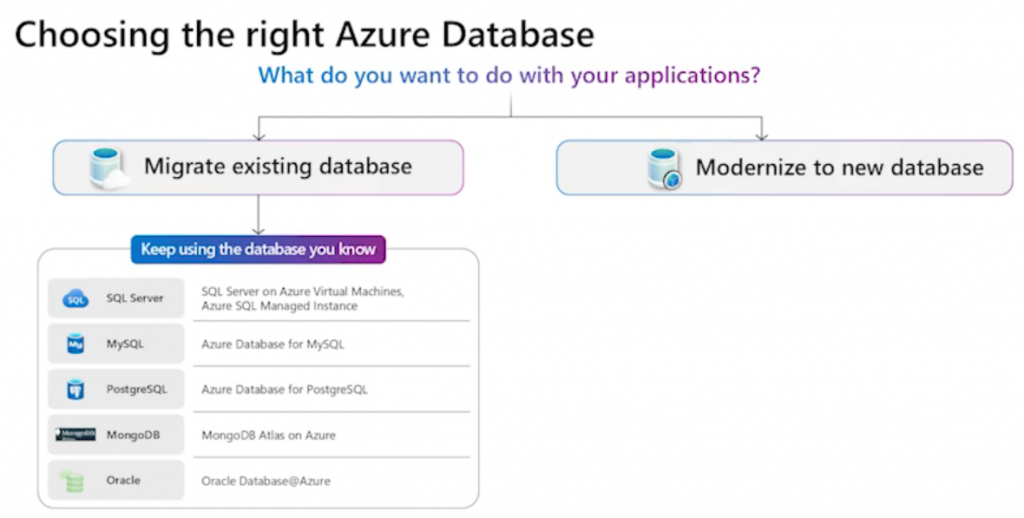
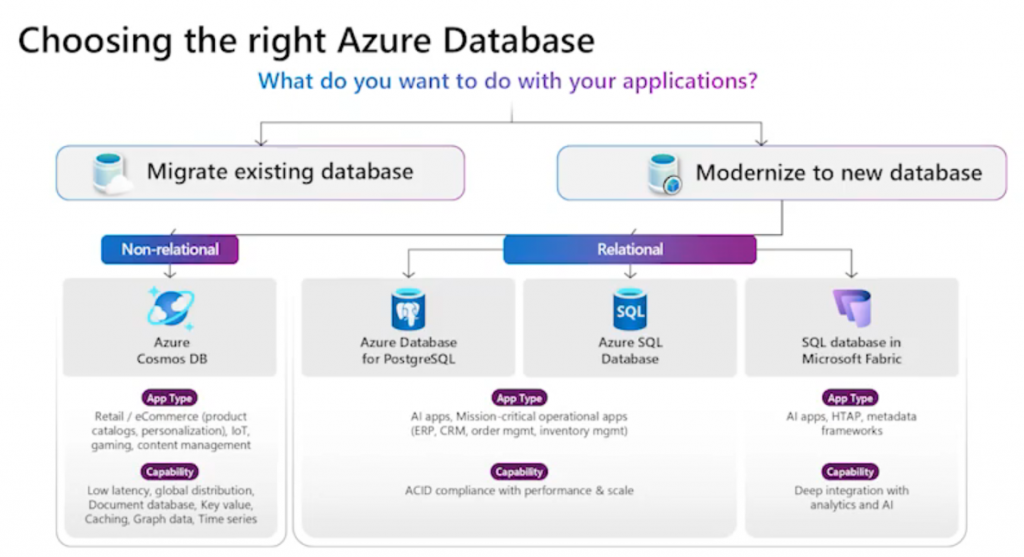
Understanding how to use each method and how they affect downtime and business continuity is key for preparing for scenario-based questions on the exam.
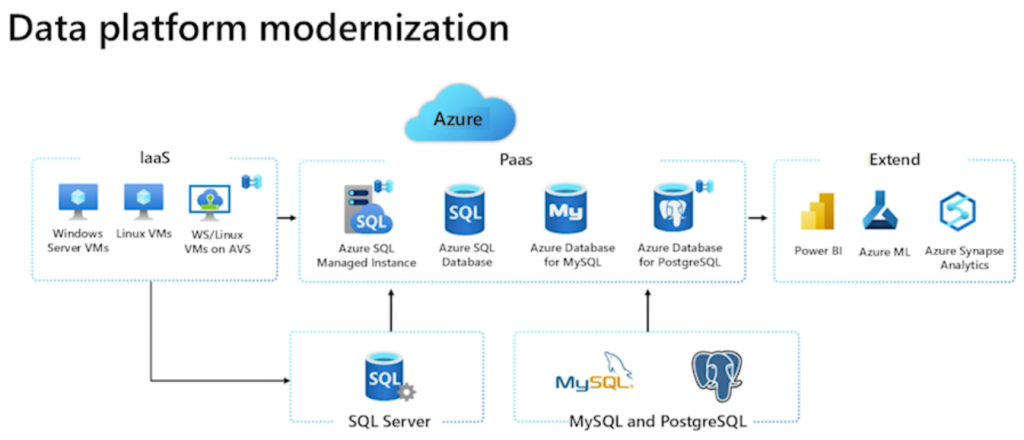
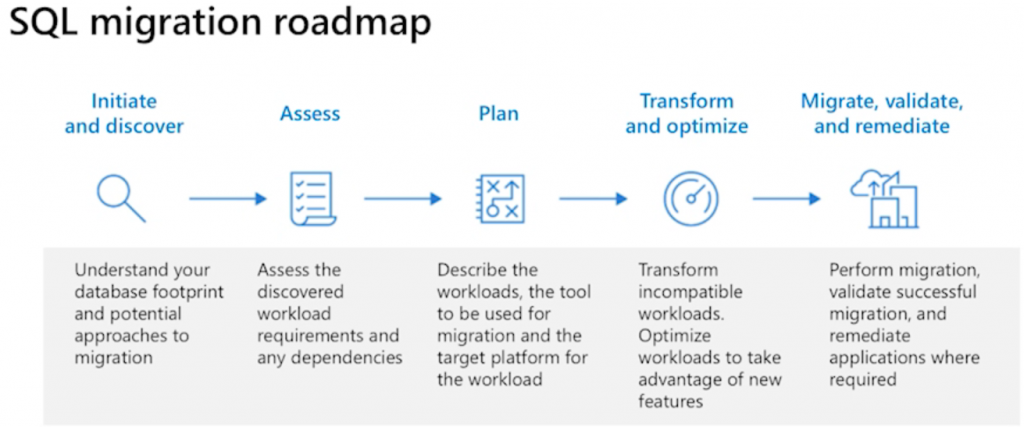
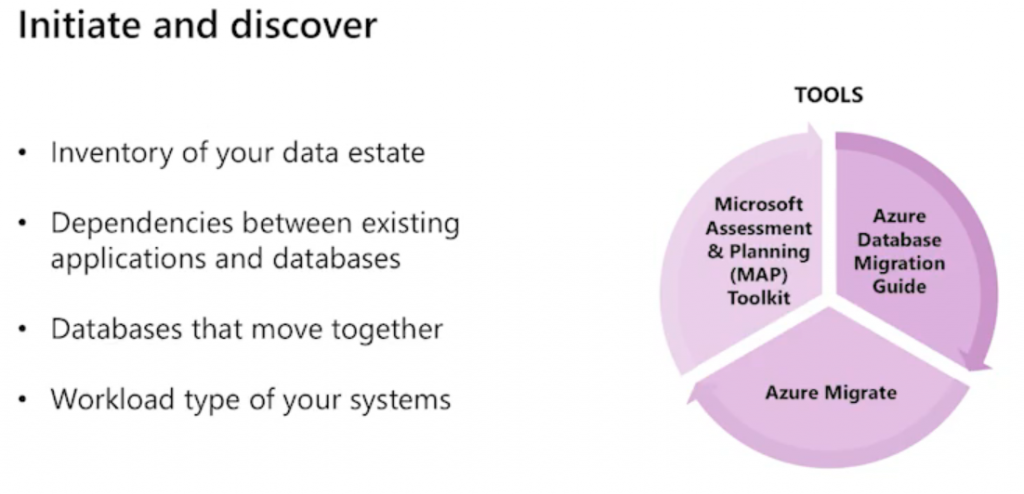
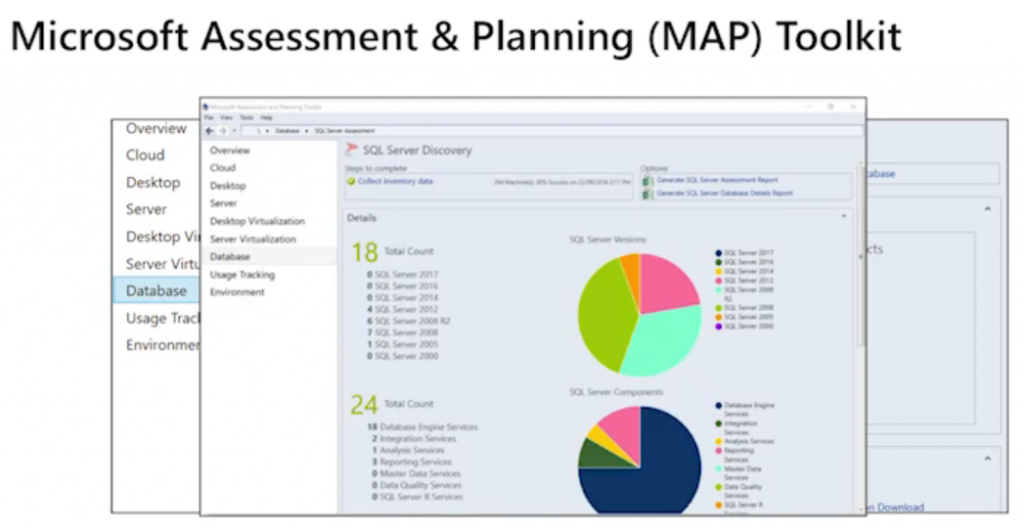
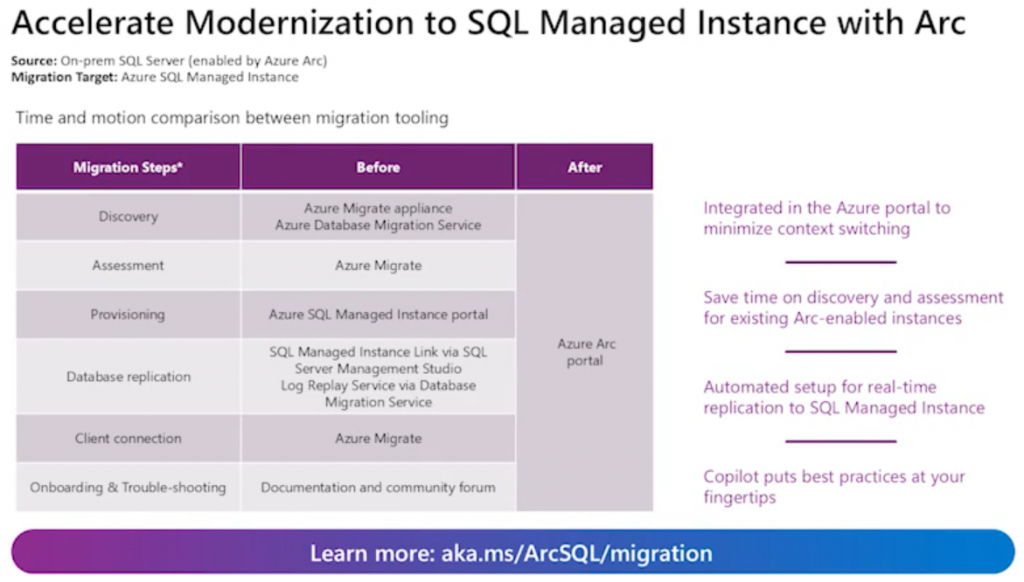
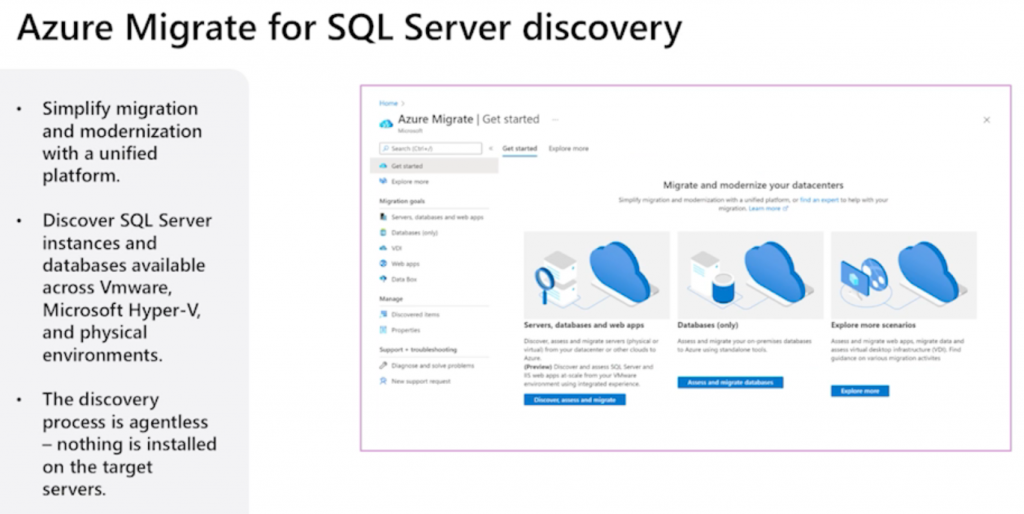
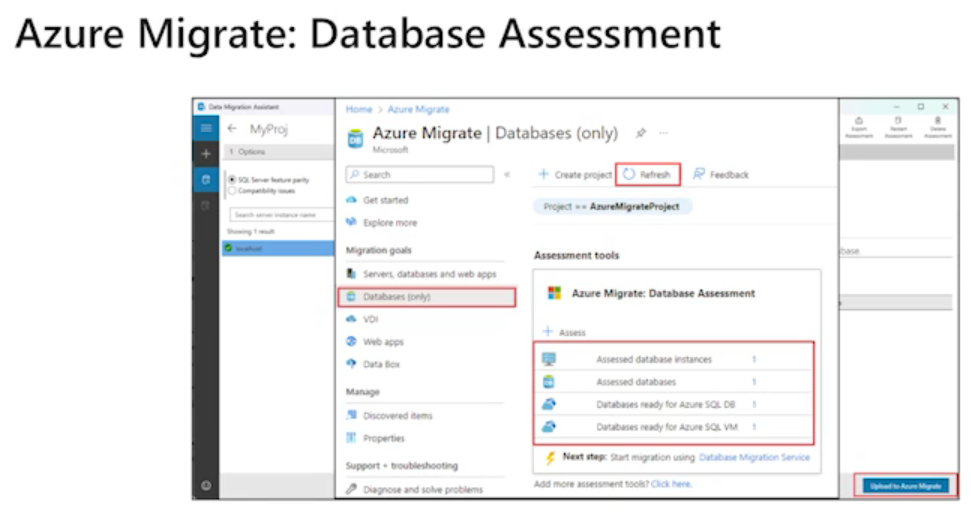
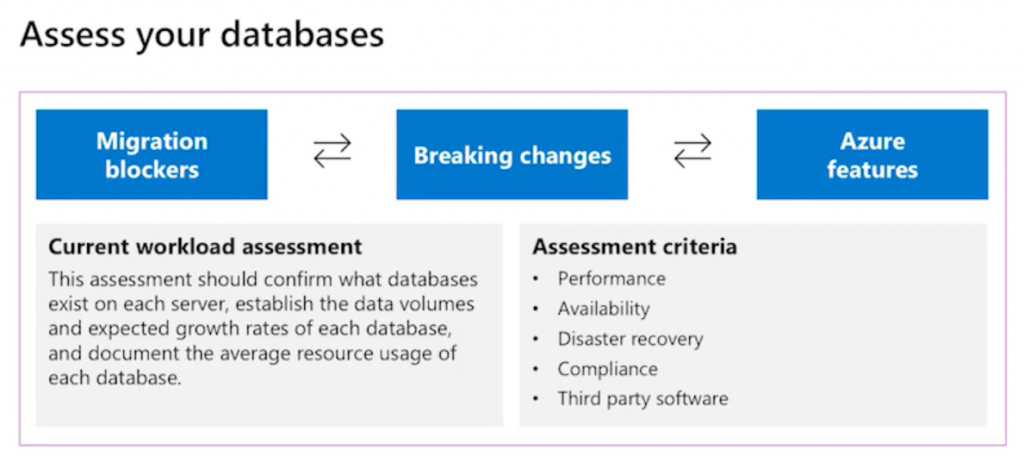
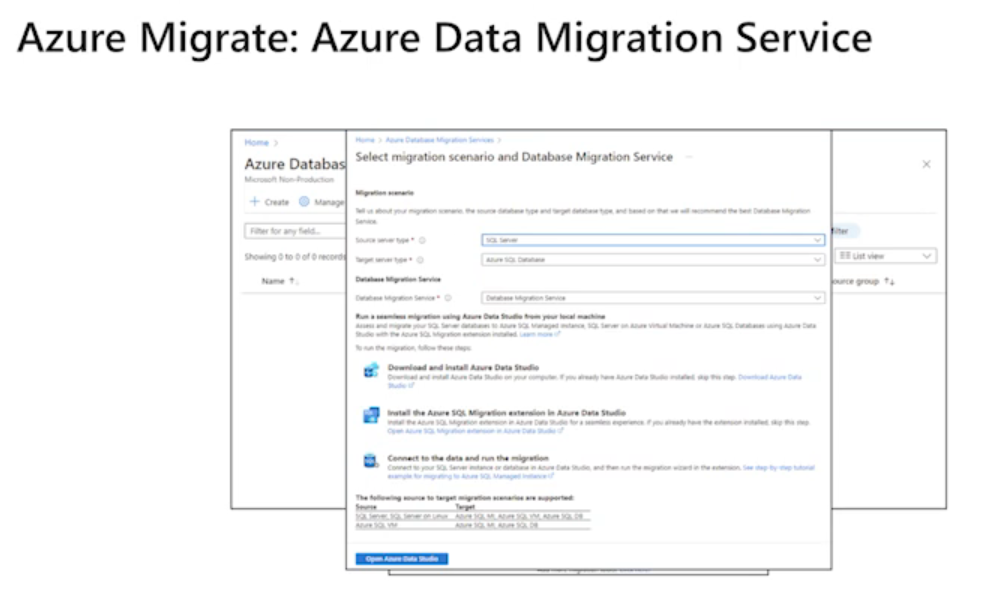
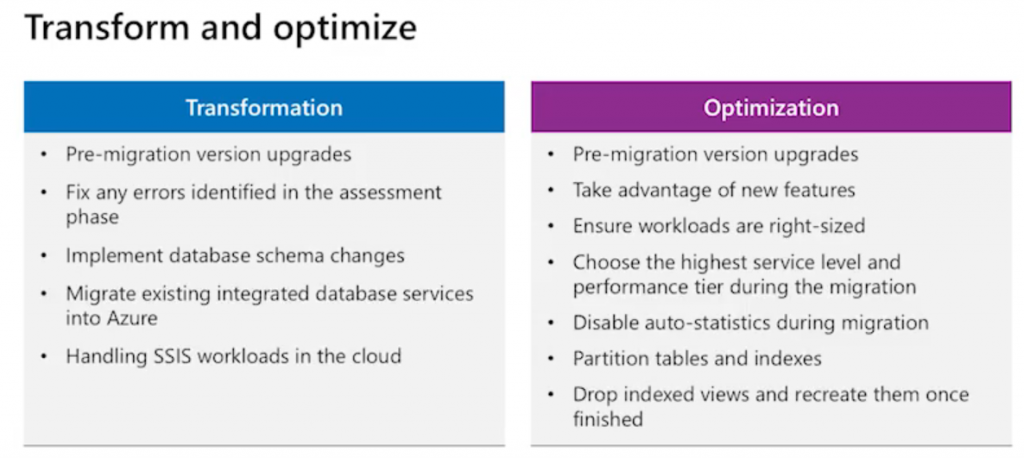
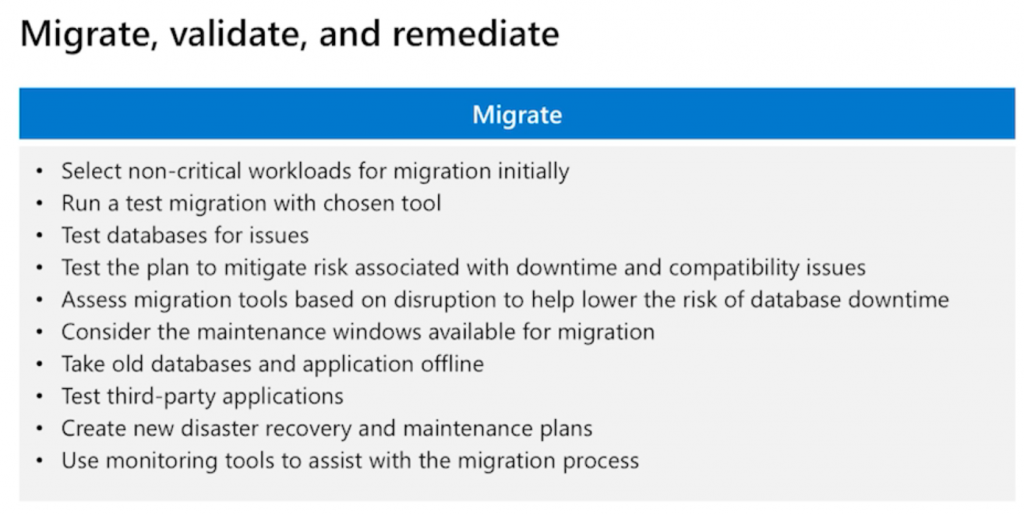
Azure Database Migration Service
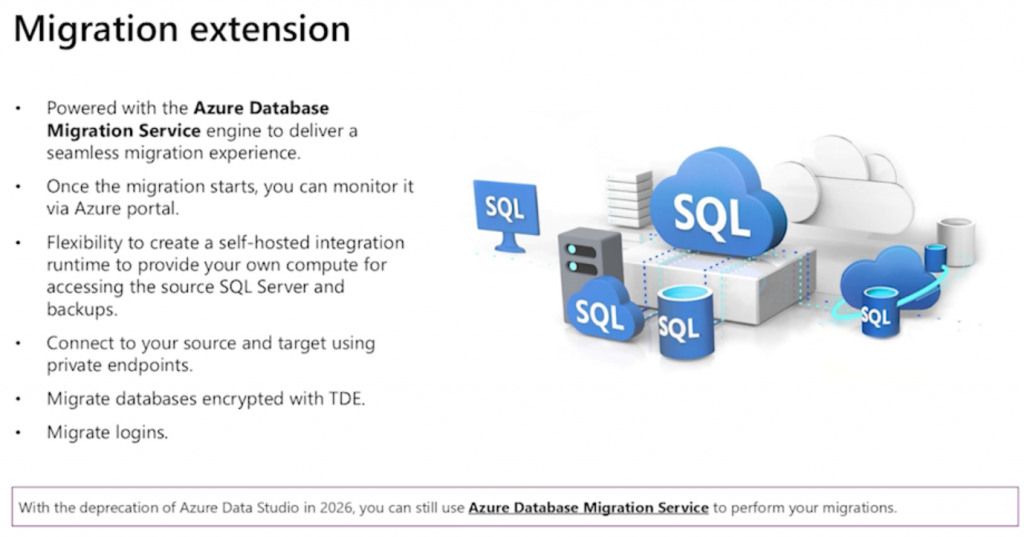
View a complete list of services and tools available for data migration scenarios.
Azure Database Migration Service is a fully managed service. The service enables seamless migrations from multiple database sources to Azure data platforms. You can migrate your databases offline or while they’re online.
- Offline migration: An offline migration requires shutting down the server at the start of the migration.
- Online migration: An online migration uses a continuous synchronization of live data, which allows a cut over to the Azure replica database at any time. Online migration minimizes downtime.
- Not all migration scenarios have both offline and online capabilities:
| Migration scenario | Migration mode |
|---|---|
| SQL Server to Azure SQL Managed Instance | Online or Offline |
| SQL Server to SQL Server on Azure Virtual Machine | Online or Offline |
| SQL Server to Azure SQL Database | Offline |
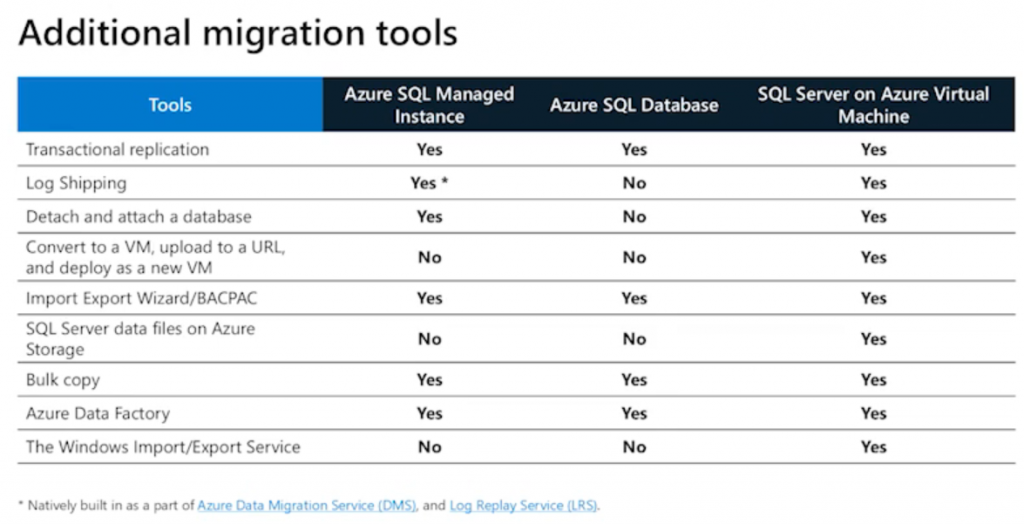
When selecting a database migration solution, determine which features are important to you:
- Do you need an assessment to identify compatibility issues?
- Do you need a SKU recommendation?
- Do you need to migrate database logins and schemas?
- Do you need to automate the process?
- Do you have a specific product scenario?
- Do you need to integrate with other migration tools?
| Feature | DMS (Azure portal) | Notes |
|---|---|---|
| Assessment | No | Assess compatibility of the source. |
| SKU recommendation | No | SKU recommendations for the target based on the assessment of the source. |
| Azure SQL Database – Offline migration | Yes | Migrate to Azure SQL Database offline. |
| Azure SQL Managed Instance – Online migration | Yes | Migrate to Azure SQL Managed Instance online with minimal downtime. |
| Azure SQL Managed Instance – Offline migration | Yes | Migrate to Azure SQL Managed Instance offline. |
| SQL Server on Azure SQL Virtual Machine – Online migration | Yes | Migrate to SQL Server on Azure VMs online with minimal downtime. |
| SQL Server on Azure SQL Virtual Machine – Offline migration | Yes | Migrate to SQL Server on Azure VMs offline. |
| Migrate logins | No | Migrate logins from your source to your target. |
| Migrate schemas | Yes | Migrate schemas from your source to your target. |
| Azure portal support | Yes | Create and monitor your migration by using the Azure portal. |
| Regional availability | Yes | For regional availability, see Products available by region. |
| Improved user experience | Yes | The DMS is faster, more secure, and easier to troubleshoot. |
| Automation | Yes | The DMS supports PowerShell and Azure CLI. |
| Private endpoints | Yes | Connect to your source and target using private endpoints. |
| TDE support | No | Migrate databases encrypted with TDE. |
Offline (one-time) migration support
The following table describes the current status of Database Migration Service (DMS) support for offline migrations:
| Target | Source | Support | Status |
|---|---|---|---|
| Azure SQL Database | SQL Server 1 | Yes [using DMS] | GA |
| Amazon RDS SQL Server | Yes [using DMS] | GA | |
| Oracle | Yes [using DMS via SSMA*] | Preview | |
| Azure SQL Database Managed Instance | SQL Server 1 | Yes [using DMS] | GA |
| Amazon RDS SQL Server | Yes [using DMS] | GA | |
| Oracle | Yes [using DMS via SSMA*] | Preview | |
| Azure SQL VM | SQL Server 1 | Yes [using DMS] | GA |
| Amazon RDS SQL Server | Yes [using DMS] | GA | |
| Oracle | Yes [using DMS via SSMA*] | Preview | |
| Azure Cosmos DB | MongoDB | Yes | GA |
| Azure Database for MySQL – Flexible Server | MySQL | Yes | GA |
| Amazon RDS MySQL | Yes | GA | |
| Amazon Aurora MySQL | Yes | GA | |
| Google Cloud SQL for MySQL | Yes | GA | |
| Percona MySQL | Yes | GA | |
| Azure Database for MySQL 2 | Yes | GA | |
| Azure Database for PostgreSQL flexible server | PostgreSQL | No | |
| Amazon RDS PostgreSQL | No |
- *SSMA = SQL Server Migration Assistant)
- 1 Offline migrations by using Azure DMS are supported for Azure SQL Managed Instance, SQL Server on Azure Virtual Machines, and Azure SQL Database.
- 2 If your source database is already in an Azure platform as a service (PaaS) like Azure Database for MySQL or Azure Database for PostgreSQL, choose the corresponding engine when you create your migration activity. For example, if you’re migrating from Azure Database for MySQL – Flexible Server to another Azure Database for MySQL – Flexible Server, choose MySQL as the source engine when you create your scenario. If you’re migrating from Amazon RDS for PostgreSQL to Azure Database for PostgreSQL flexible server, choose PostgreSQL as the source engine when you create your scenario.
Online (continuous sync) migration support
The following table describes the current status of Database Migration Service (DMS) support for online migrations:
| Target | Source | Support | Status |
|---|---|---|---|
| Azure SQL Database | SQL Server 1 | No | |
| Amazon RDS SQL | No | ||
| Oracle | No | ||
| Azure SQL Database MI | SQL Server 1 | Yes [using DMS] | GA |
| Amazon RDS SQL | Yes [using DMS] | GA | |
| Oracle | No | ||
| Azure SQL VM | SQL Server 1 | Yes [using DMS] | GA |
| Amazon RDS SQL | Yes [using DMS] | GA | |
| Oracle | No | ||
| Azure Cosmos DB | MongoDB | Yes | GA |
| Azure Database for MySQL – Flexible Server | MySQL | Yes | GA |
| Amazon RDS MySQL | Yes | GA | |
| Amazon Aurora MySQL | Yes | GA | |
| Google Cloud SQL for MySQL | Yes | GA | |
| Percona MySQL | Yes | GA | |
| Azure Database for MySQL 2 | Yes | GA | |
| Azure Database for PostgreSQL flexible server | PostgreSQL | Yes | GA |
| Amazon RDS PostgreSQL | Yes | GA |
1 Online migrations (minimal downtime) by using Azure DMS are supported for Azure SQL Managed Instance and SQL Server on Azure Virtual Machines targets.
2 If your source database is already in an Azure PaaS like Azure Database for MySQL or Azure Database for PostgreSQL, choose the corresponding engine when you create your migration activity. For example, if you’re migrating from Azure Database for MySQL – Flexible Server to another Azure Database for MySQL – Flexible Server, choose MySQL as the source engine when you create the scenario. If you’re migrating from Amazon RDS for PostgreSQL to Azure Database for PostgreSQL flexible server, choose PostgreSQL as the source engine when you create the scenario.